Create an agent
A name, a job and a model, and your agent is ready to work.
An agent is an AI assistant with its own instructions and model. Any member of a workspace can create agents.
Creating one
- Open Agents and select New agent.
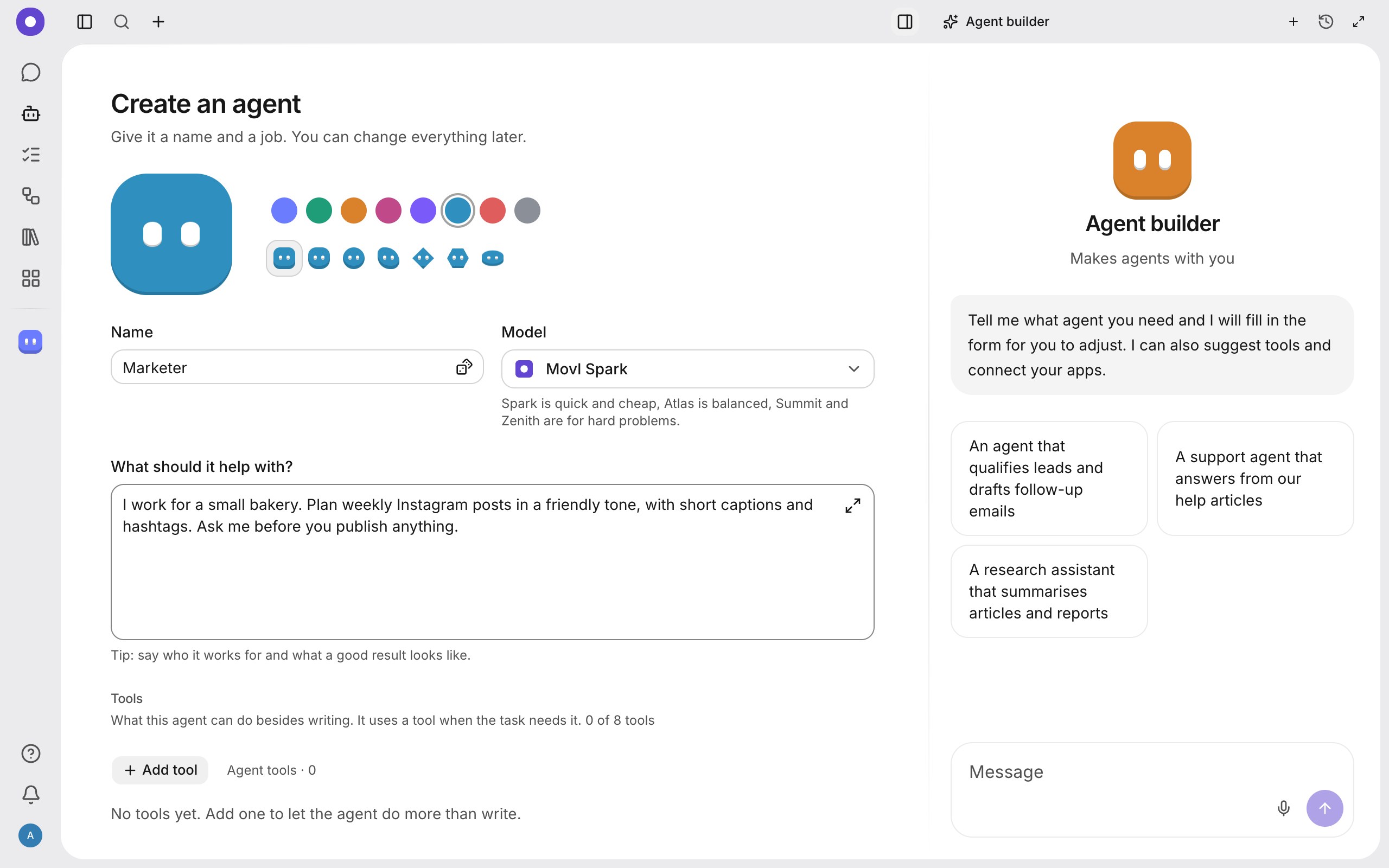
- Fill in the Create an agent form and save the agent.
| Field | What to write |
|---|---|
| Colour and look | The colour and the shape of the avatar at the top. Pick any. |
| Name | What you call the agent, for example "Marketer". |
| Model | Which model answers. Models outside your plan are listed but cannot be picked. |
| What should it help with? | Describe the job in a sentence or two. This becomes the agent's instructions. |
| Tools | What the agent can do besides writing. Add one with Add tool. |
Agent builder
On the right of the form is a chat called Agent builder. Tell it which agent you need and it fills in the form for you and suggests tools. You check and adjust the result before creating the agent. You can also start from the examples under the message box.
Write specific instructions
Good instructions answer three questions: who the agent works for, what a good result looks like, and when it should ask instead of guessing. A few sentences beat a long text.
Settings later
Open the agent and select Configuration. The Profile tab holds the instructions, the model and the default environment, the Integrations tab holds tools, skills and messengers (more), and Stats shows how the agent works. What team members may do with an agent is set per agent.
What next
Talk to the agent in the chat, then give it a task.